Chrome extension: products to your wishlist
You spot a gift in a shop, click the icon in the browser — and the product lands in your wishlist or in the gift ideas for someone close. No links copied into notes, no tabs left open for months.
Install from a computer: Chrome, Edge, Arc, Opera and other Chromium browsers.
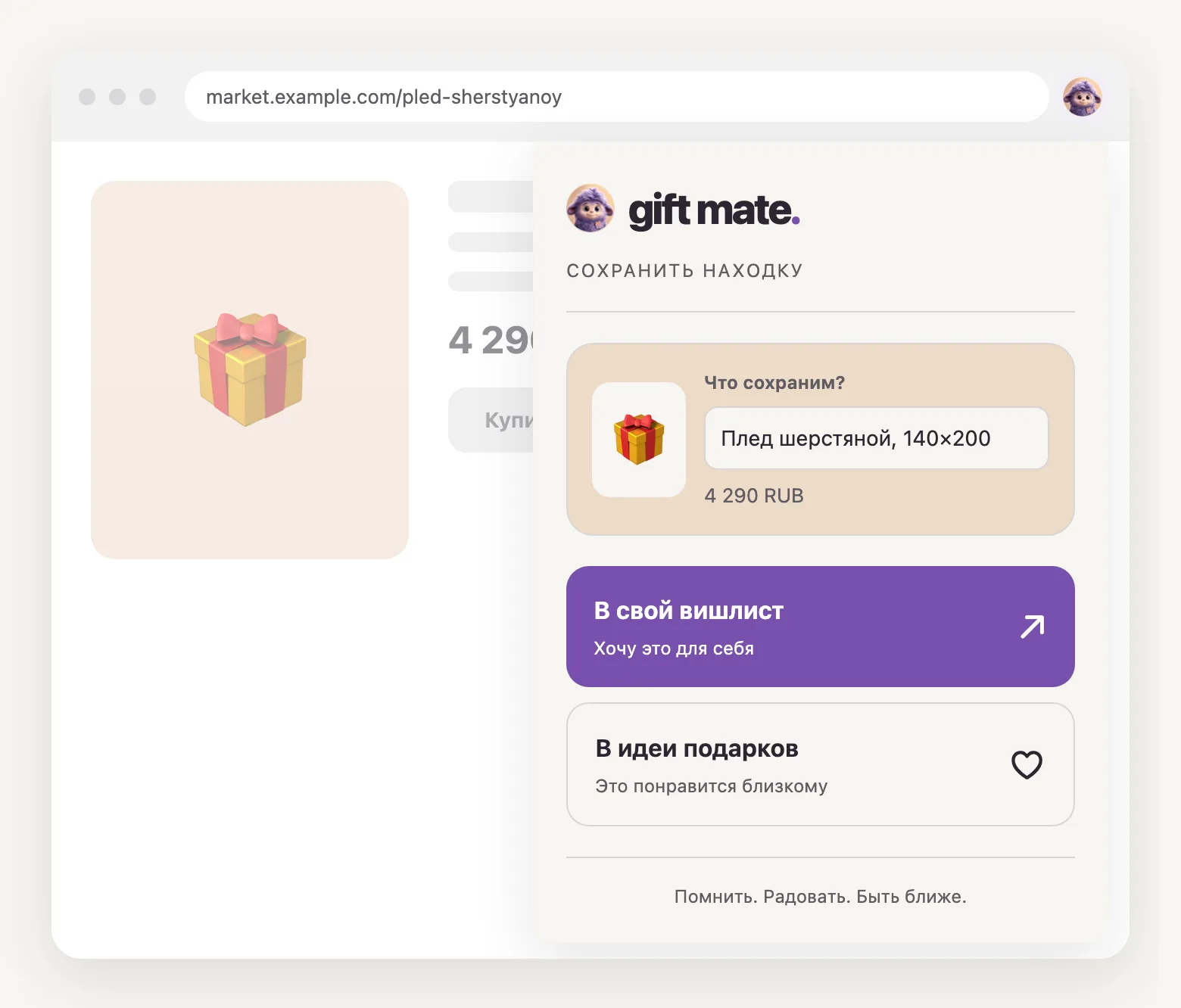
What it does
-
A product into your wishlist
The list you share with friends and family before a birthday. You hand out the link yourself.
-
Or into gift ideas for someone
Found something for your mother in March — the idea waits for her birthday and arrives with the reminder.
-
Title, price and image on their own
Edit the title before saving. Price and image are included when the shop provides them; you can save without them.
How to install
- Open the Gift Mate page in the Chrome Web Store and click “Add to Chrome”, then confirm.
- Pin the icon: the puzzle button next to the address bar → the pin next to Gift Mate.
How to connect your account
- Open a product page, click the Gift Mate icon and choose “В свой вишлист” (to my wishlist). On your first save, the site opens so you can sign in and connect your account.
- Once connected, return to the product, reopen the extension and save it.
No account yet? Create one at giftmate.online — sign-in goes through Yandex ID, no password to invent.
How to save products
- Open a product page in a shop.
- Click the Gift Mate icon and check the title. Edit it if needed.
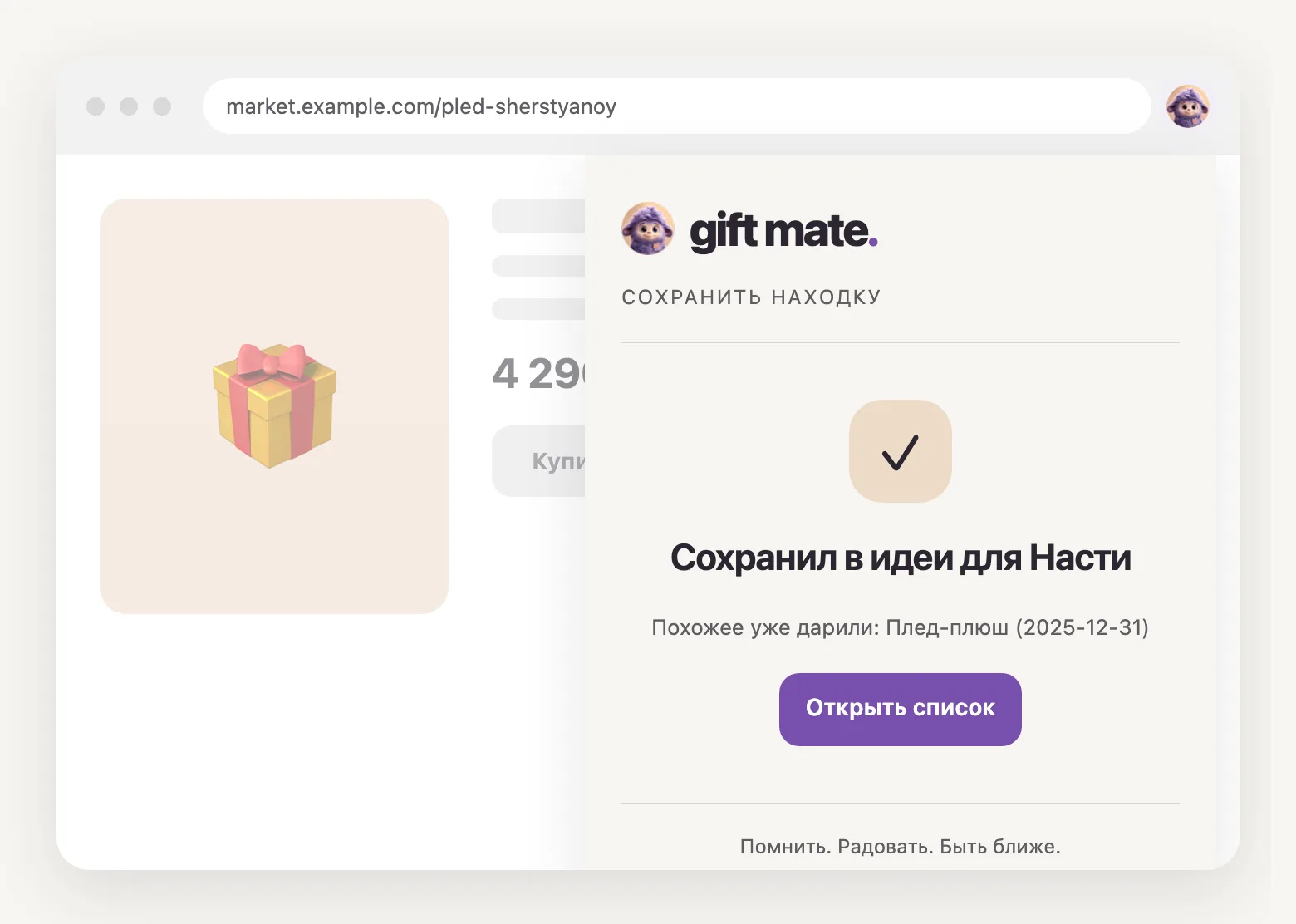
- Choose “В свой вишлист” (to my wishlist) or “В идеи подарков” (to gift ideas), then a person. Wait for confirmation that it was saved.
What the extension sees and where it goes is answered below, and in full in the privacy policy, in the section about the extension.
Frequently asked questions
How much does it cost?
Nothing. The extension and Gift Mate itself are free; there are no paid features and no ads.
Which browsers does it work in?
Chrome and other Chromium-based browsers: Microsoft Edge, Arc, Opera, Vivaldi, Yandex Browser. There is no Safari or Firefox build yet — there you can save a product by sending its link into the chat on the site.
Do I need a Gift Mate account?
Yes: the extension saves products into your lists, so it has to know whose they are. The account is created at giftmate.online by signing in with Yandex ID; the extension has no password of its own.
What does it see on a page?
Only the page where you clicked the icon, and only at that moment: the product title, price, image and address. That is exactly what reaches giftmate.online — what you are saving. It reads nothing in the background and never looks into other tabs.
Can it see notes about the people close to me?
No. Its access is its own scope: the names of your close ones and your lists, so that there is somewhere to save to. Notes are out of its reach.
How do I disconnect it from my account?
On the site: profile → “Devices” → revoke the “Extension” row. Access is gone immediately, even if the extension stays in the browser.